Showing posts with label Photoshop. Show all posts

Aviary: Replaces: Adobe Photoshop, Illustrator, Soundbooth

Replaces: Adobe Photoshop, Illustrator, Soundbooth
Aviary
Aviary
We have already covered a list of online image editors, and of that list, my favorite would have to be Aviary. The Aviary web suite offers powerful tools that allow you to edit images, vectors, and even audio! Take a look at the huge list of the tools included in their suite:
• Phoenix: Image Editor
• Toucan: Color Editor
• Myna: Audio Editor
• Peacock: Effects Editor
• Raven: Vector Editor
• Falcon: Image Markup
• Roc: Music Creator. Check out our in-depth review of Roc.

Aviary
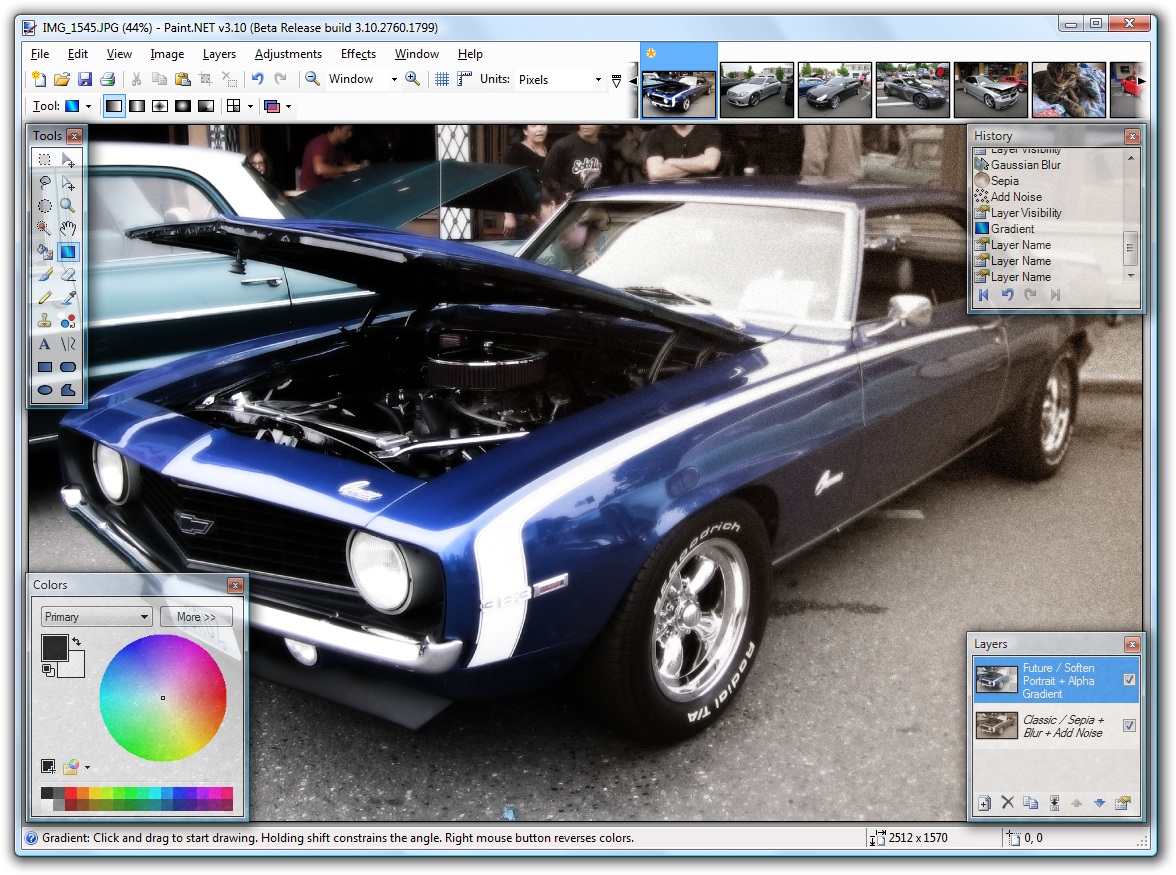
Paint.NET : It's like a free Photoshop

Paint.NET is free image and photo editing software for computers that run Windows. It features an intuitive and innovative user interface with support for layers, unlimited undo, special effects, and a wide variety of useful and powerful tools. An active and growing online community provides friendly help, tutorials, and plug-ins.

Originally intended as a free replacement for the Microsoft Paint software that comes with Windows, it has grown into a powerful yet simple image and photo editor tool. It has been compared to other digital photo editing software packages such as Adobe Photoshop, Corel Paint Shop Pro, Microsoft Photo Editor, and The GIMP.

License type: Freeware
Operating Systems: Windows XP (SP2 or later)/Vista/Server 2003 (SP1 or later)
System Requirements: .NET Framework 2.0, 500 MHz processor (Recommended: 800 MHz or faster), 256 MB of RAM (Recommended: 512 MB or more), 1024x768 screen resolution, 200+ MB hard drive space, 64-bit support requires a 64-bit CPU that is running a 64-bit version of Windows XP, Windows Vista, or Windows Server 2003, and an additional 128 MB of RAM
File size: 1.5 MB
Developer: Rick Brewster


GIMP: the Photoshop alternative

GIMP is an extremely versatile graphics manipulation package. If you use Adobe Photoshop at work, and would like the same capability at home, this is the answer without shelling out hundreds of dollars.

GIMP is an acronym for GNU Image Manipulation Program. It is a freely distributed program for such tasks as photo retouching, image composition and image authoring.

It has many capabilities. It can be used as a simple paint program, an expert quality photo retouching program, an online batch processing system, a mass production image renderer, an image format converter, etc.

GIMP is expandable and extensible. It is designed to be augmented with plug-ins and extensions to do just about anything. The advanced scripting interface allows everything from the simplest task to the most complex image manipulation procedures to be easily scripted.

GIMP is written and developed under X11 on UNIX platforms. But basically the same code also runs on MS Windows and Mac OS X.

Features and Capabilities

This is only a very quickly thrown together list of GIMP features. You can also have a look at the illustrated features overview.

  • Painting
    • Full suite of painting tools including Brush, Pencil, Airbrush, Clone, etc.
    • Sub-pixel sampling for all paint tools for high quality anti-aliasing
    • Extremely powerful gradient editor and blend tool
    • Supports custom brushes and patterns
  • System
    • Tile based memory management so image size is limited only by available disk space
    • Virtually unlimited number of images open at one time
  • Advanced Manipulation
    • Full alpha channel support
    • Layers and channels
    • Multiple Undo/Redo (limited only by diskspace)
    • Editable text layers
    • Transformation tools including rotate, scale, shear and flip
    • Selection tools including rectangle, rounded rectangle, ellipse, free, fuzzy
    • Foreground extraction tool
    • Advanced path tool doing bezier and polygonal selections.
    • Transformable paths, transformable selections.
    • Quickmask to paint a selection.
  • Extensible
    • A Procedural Database for calling internal GIMP functions from external programs as in Script-fu
    • Advanced scripting capabilities (Scheme, Python, Perl)
    • Plug-ins which allow for the easy addition of new file formats and new effect filters
    • Over 100 plug-ins already available
  • Animation
    • Load and save animations in a convenient frame-as-layer format
    • MNG support
    • Frame Navigator (in GAP, the GIMP Animation Package)
    • Onion Skin (in GAP, the GIMP Animation Package)
    • Bluebox (in GAP, the GIMP Animation Package)
  • File Handling
    • File formats supported include bmp, gif, jpeg, mng, pcx, pdf, png, ps, psd, svg, tiff, tga, xpm, and many others
    • Load, display, convert, save to many file formats
    • SVG path import/export
  • Much, much more!